
Pepetabet Kenya app
Over 88% of Kenyan bettors place their bets via mobile — and the Pepetabet Kenya app is built around that reality. You get full access to sports betting, Aviator, live casino, and M-Pesa deposits from one screen, without opening a browser each time. Both Android and iOS are supported.


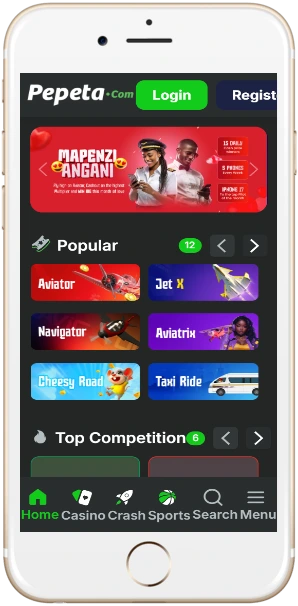
What the app gives you
The Pepetabet Kenya app puts the full platform in your pocket. It's not a stripped-down mobile version — every feature available on desktop works on the app, including live in-play betting, crash games, and live dealer tables. Kenyan players in Nairobi CBD, Mombasa, or Kisumu typically open the app during their commute or in the evening after work, when KPL and EPL fixtures are running.
Fast M-Pesa deposits
Deposit via M-Pesa Paybill in under 60 seconds. The funds appear in your betting balance immediately — no delays between sending and placing a bet.
Push notifications
Get alerts for upcoming KPL fixtures, odds changes on your saved markets, and withdrawal confirmations directly to your lock screen.
Full game library
Aviator, JetX, Spaceman, 200+ slots, and Evolution live dealer tables all load natively in the app — no redirects or separate logins required.
Live in-play betting
Odds refresh every few seconds on live matches. You can place in-play bets on Gor Mahia vs AFC Leopards derbies or EPL Saturday fixtures without any lag.
Cashout on mobile
Use the cashout feature during any live event directly from the bet slip. The withdrawal confirmation arrives to M-Pesa within 2 to 6 hours after requesting.
Secure login
Log in with your phone number and password, or enable biometric login on supported Android and iOS devices for faster access without re-entering credentials.
How to install on Android
The Pepetabet Kenya app for Android is an APK file — it's not listed on Google Play, which is standard for licensed Kenyan betting operators due to Play Store regional restrictions. Installation takes about two minutes.
- On your Android phone, go to Settings → Security and enable "Install from unknown sources" (or "Allow from this source" on Android 8 and above).
- Tap the Android download button on this page. The APK file will download to your device — it's around 12–15 MB, so it completes quickly even on a 3G connection.
- Once downloaded, open the file from your notifications bar or file manager and tap "Install".
- After installation, open the app and log in with your existing account details, or register a new account directly from the app.
The app works on Android 5.0 and above. If your device is running a newer Android version and prompts you about "Play Protect", tap "Install anyway" — this warning appears for all APK files not sourced from Google Play, including legitimate licensed betting apps.
How to install on iOS
For iPhone and iPad users, the Pepetabet Kenya app installs through the App Store or directly via a Safari download link. Tap the iOS download button on this page, and you'll be redirected to the installation flow. The app requires iOS 13.0 or above. If the App Store version is unavailable in your region, you can use the web app — tap "Add to Home Screen" in Safari, and the platform functions as a full-screen app with the same features.
App vs mobile browser — what's the difference?
Both options work, but there are a few practical differences worth knowing before you choose. The table below compares them on the factors Kenyan bettors actually care about.
| Feature | Pepetabet app | Mobile browser |
|---|---|---|
| Push notifications | Yes | No |
| Load speed | Faster (cached assets) | Depends on connection |
| Biometric login | Yes (fingerprint/Face ID) | No |
| Data usage per session | ~2–4 MB | ~5–9 MB |
| Crash game performance | Smooth on Android 8+ | Smooth on Chrome |
| M-Pesa deposit flow | One-tap Paybill | Standard form entry |
| Offline access | Cached bet history | None |
For players who bet daily — checking KPL odds on the commute from Westlands or placing Aviator bets after work — the app saves roughly 3–5 MB of data per session compared to Chrome. Over a month of daily use, that's a meaningful difference on a Ksh 50 Safaricom data bundle.
System requirements and compatibility
The app is designed to run on mid-range and budget Android phones that are common among Kenyan bettors — you don't need a flagship device. Most Tecno, Itel, and Samsung A-series phones running Android 5.0 or above handle it without problems. iOS 13 and above covers iPhone 6s onwards.
Android
- OS: Android 5.0 or above
- RAM: 1 GB minimum
- Storage: 20 MB free space
- APK size: ~12–15 MB
- Network: 3G, 4G, or Wi-Fi
iOS
- OS: iOS 13.0 or above
- Device: iPhone 6s and newer
- Storage: 25 MB free space
- Download: App Store or PWA
- Network: 3G, 4G, or Wi-Fi
Auto-updates are enabled by default on iOS. On Android, you'll get an in-app prompt when a new version is available — tap "Update" and it downloads in the background without interrupting your session. The update file is typically 5–8 MB.